Demo
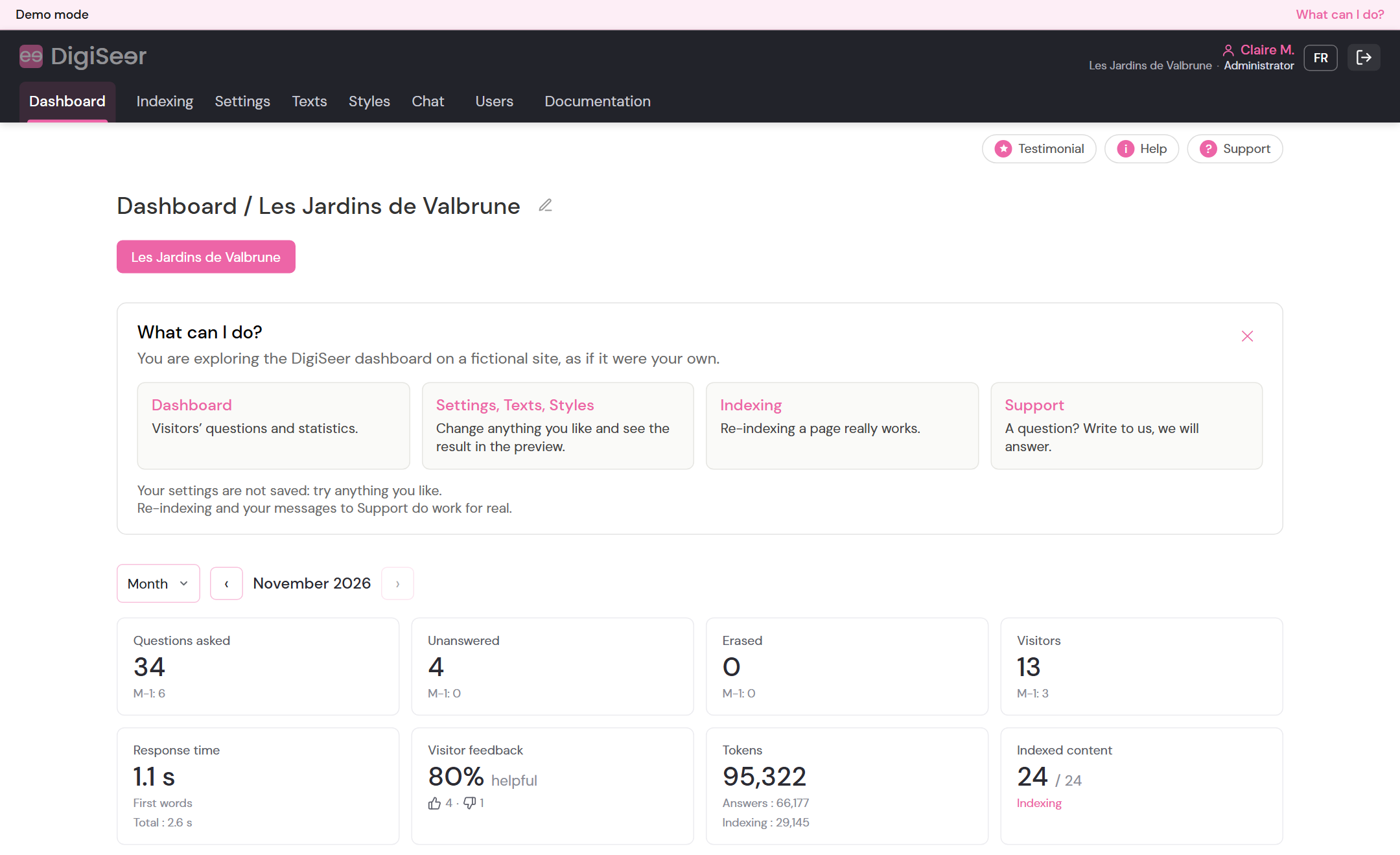
Explore the DigiSeer dashboard
See the DigiSeer dashboard as if it were your own site, with nothing to install.
- Visitor questions and the chat’s answers
- Statistics
- Indexed content and the Reindex button
- Settings, texts and colours, with a preview
- Support
No credit card. Nothing to install.
At a glance
What happens next
- You immediately receive an email with your username and password.
- You enter the WordPress administration of a demo site, then the DigiSeer menu.
- Your access stays valid for 7 days.
- Your DigiSeer account is created at the same time: you can add your own site later.
- Everything is read-only: you can look at everything without breaking anything.
The demo site
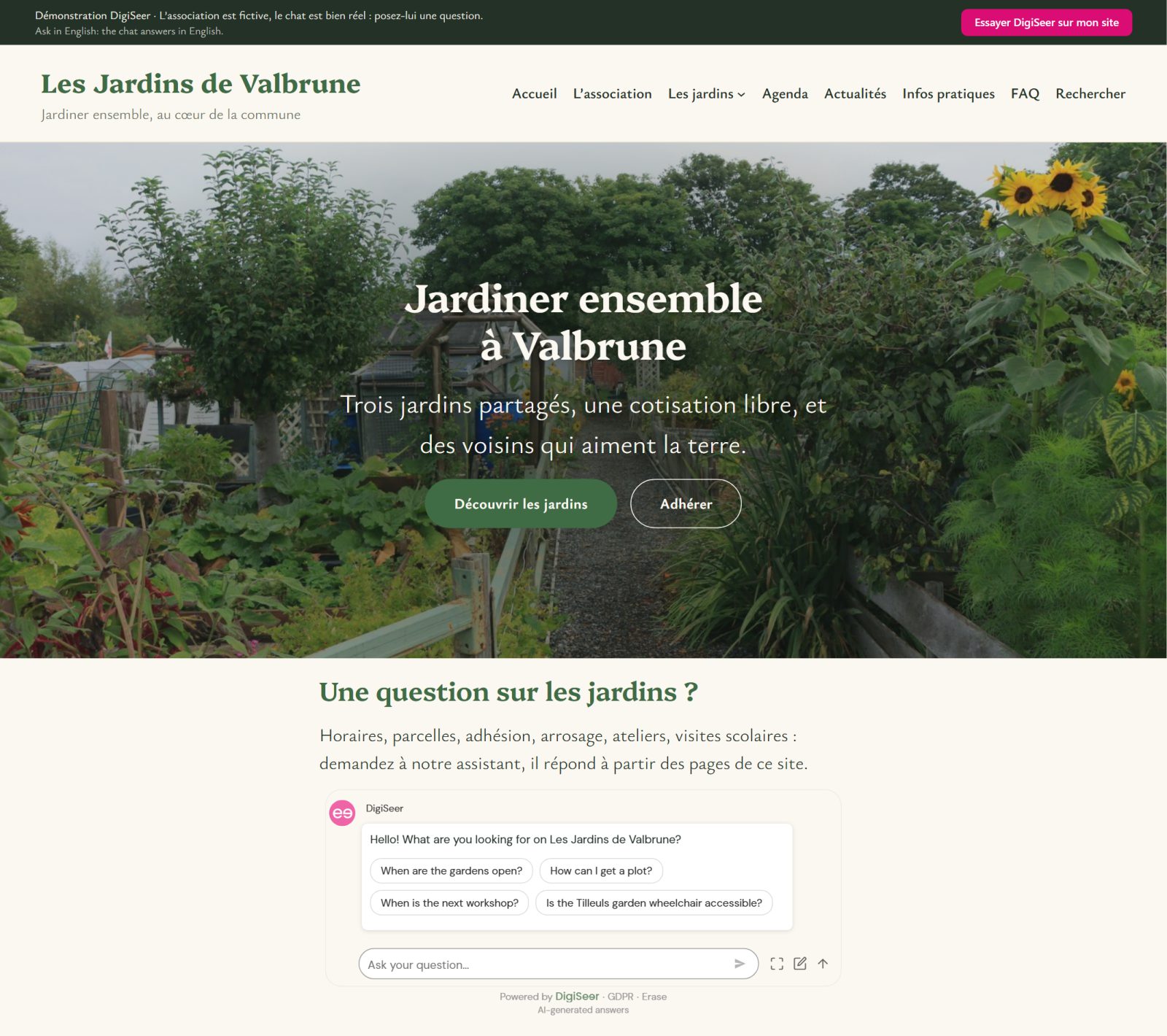
It is the site of a fictitious association: Les Jardins de Valbrune.
Its pages, its visitors and their questions are made up.
The chat, however, is real: it is the same one as on your site.
A 24-page site or a 2,000-page site: the chat works the same way.
Frequently asked questions
Anything else? Write to us.
Do I need a credit card?
No.
No credit card is required, neither for the demo nor for your DigiSeer account.
What happens to my account after 7 days?
Your access to the demo site ends.
Your DigiSeer account stays open: you can add your own site whenever you like.
If you already had a DigiSeer account, nothing changes.
Can I install DigiSeer on my site afterwards?
Yes.
Install the WordPress plugin, then sign in with your DigiSeer account.
Step by step: Getting started.
What happens to my email address?
It is used to send you your access and to create your DigiSeer account.
We only contact you again if you agreed to it.
Details: privacy policy.