Features
What DigiSeer changes for you and your visitors.
Your visitors find the right answer straight away, without browsing dozens of pages.
You finally know what they look for and what is missing.
Everything is installed and set up from WordPress, in five minutes, with no developer.
For your visitors
Your visitors get a clear, sourced answer, in their language, on every page of your site.
- Your pages, nothing else“I don’t know” rather than an invention
- Sourced answersA link to each page used
- MultilingualAnswers in the language of the question, among 27 languages
- It follows alongFollow-up questions and typos
- A good startSuggested questions and keywords to follow up
- Always a way outContact button, one-click feedback, instant answers to questions already asked
For you
You know what your visitors are looking for, you fill the gaps, and you set everything up in a few clicks.
Want to see the dashboard before installing? Explore it in the demo.
Dashboard
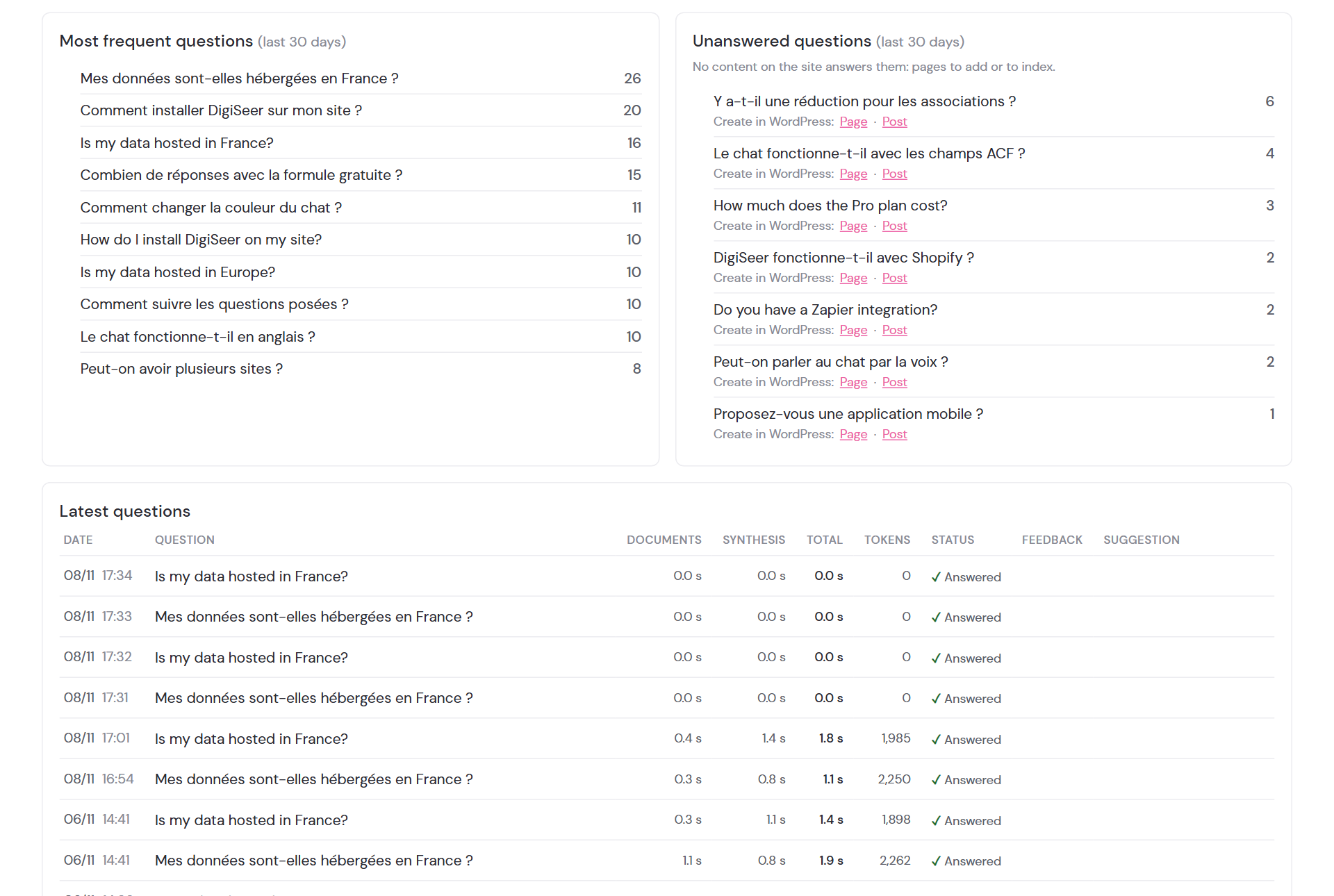
Know what your visitors are looking for, and fill the gaps.
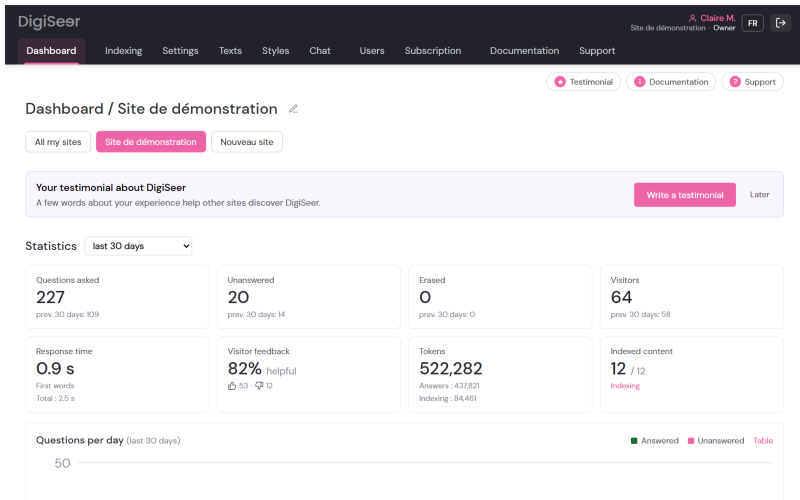
Key figures for the last 30 days, the most asked questions and those your site does not answer yet: one click opens a page or post draft in WordPress to answer them.
- Questions, visitors and response time, compared with the previous period.
- Visitor feedback: share of answers found useful.
- Unanswered questions sorted by frequency: you know what to write first.
- A WordPress draft in one click, page or post.
- Details of each question: the answer given and the pages read; CSV export.
- Visitor suggestions attached to their question.
- Erasure on request (GDPR): one question or all of a visitor’s questions, in one click.
Indexing
A chat that stays up to date, without thinking about it.
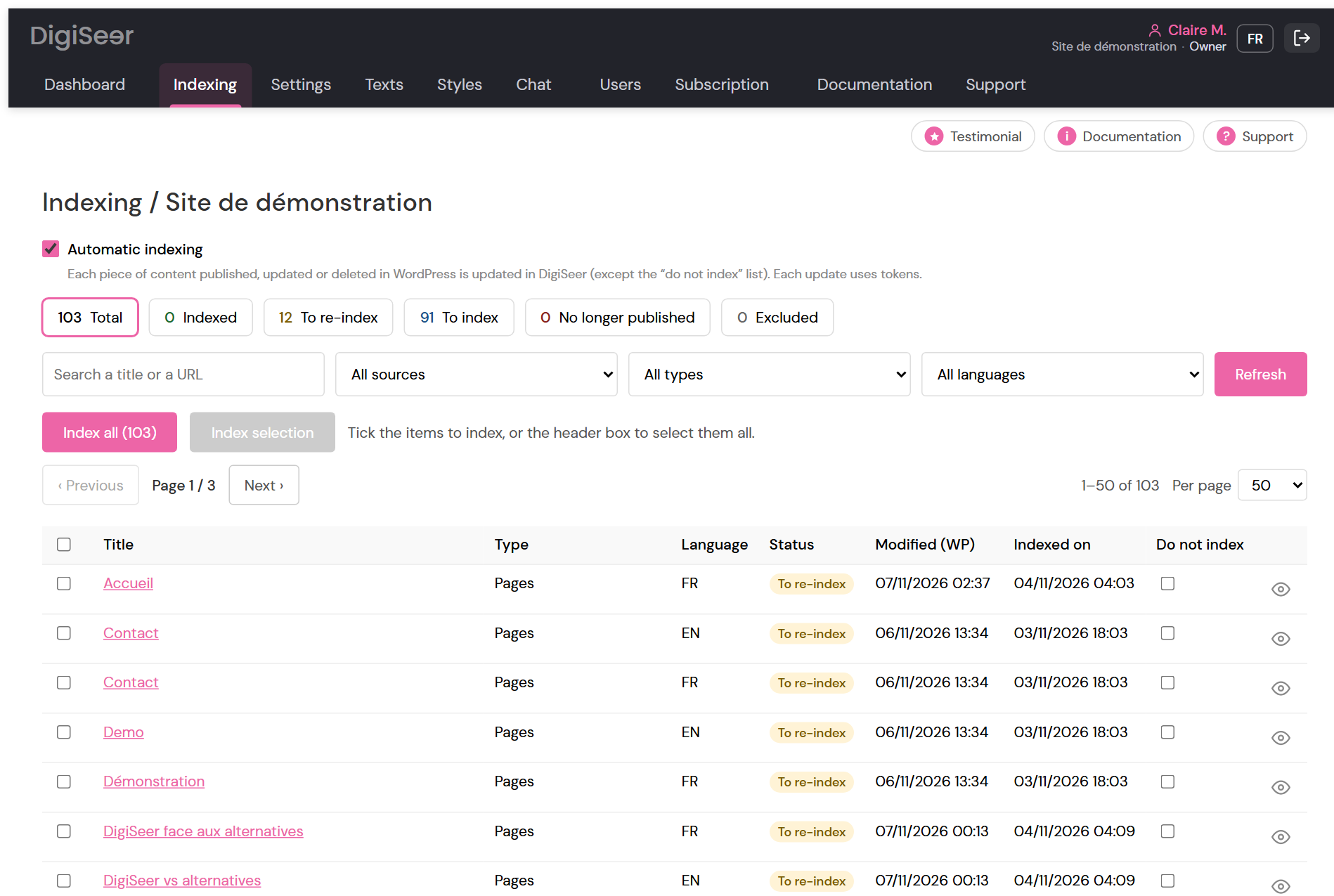
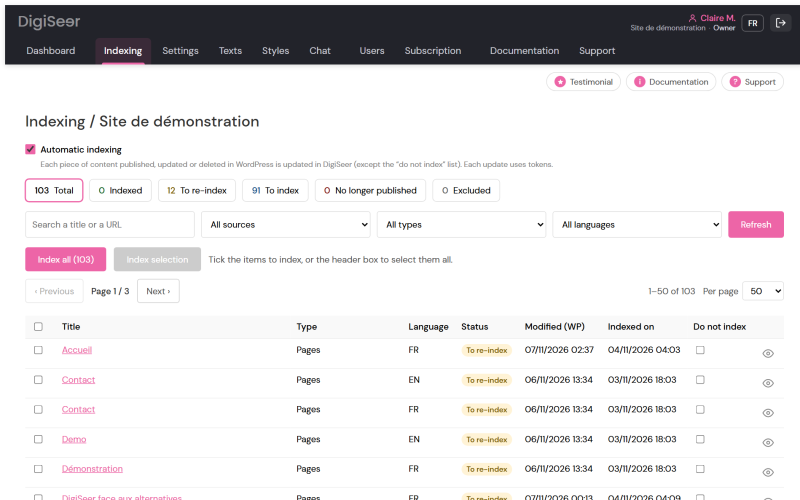
Choose the content to include, then let automatic indexing follow every publish, update or delete.
- Status of each piece of content: indexed, to re-index, to index, excluded.
- Pages, posts, taxonomies and ACF fields.
- “Do not index” list to leave content out.
- First indexing: usage estimate before starting, then background indexing you can leave.
- Details of each indexed item: text kept and usage.
Settings
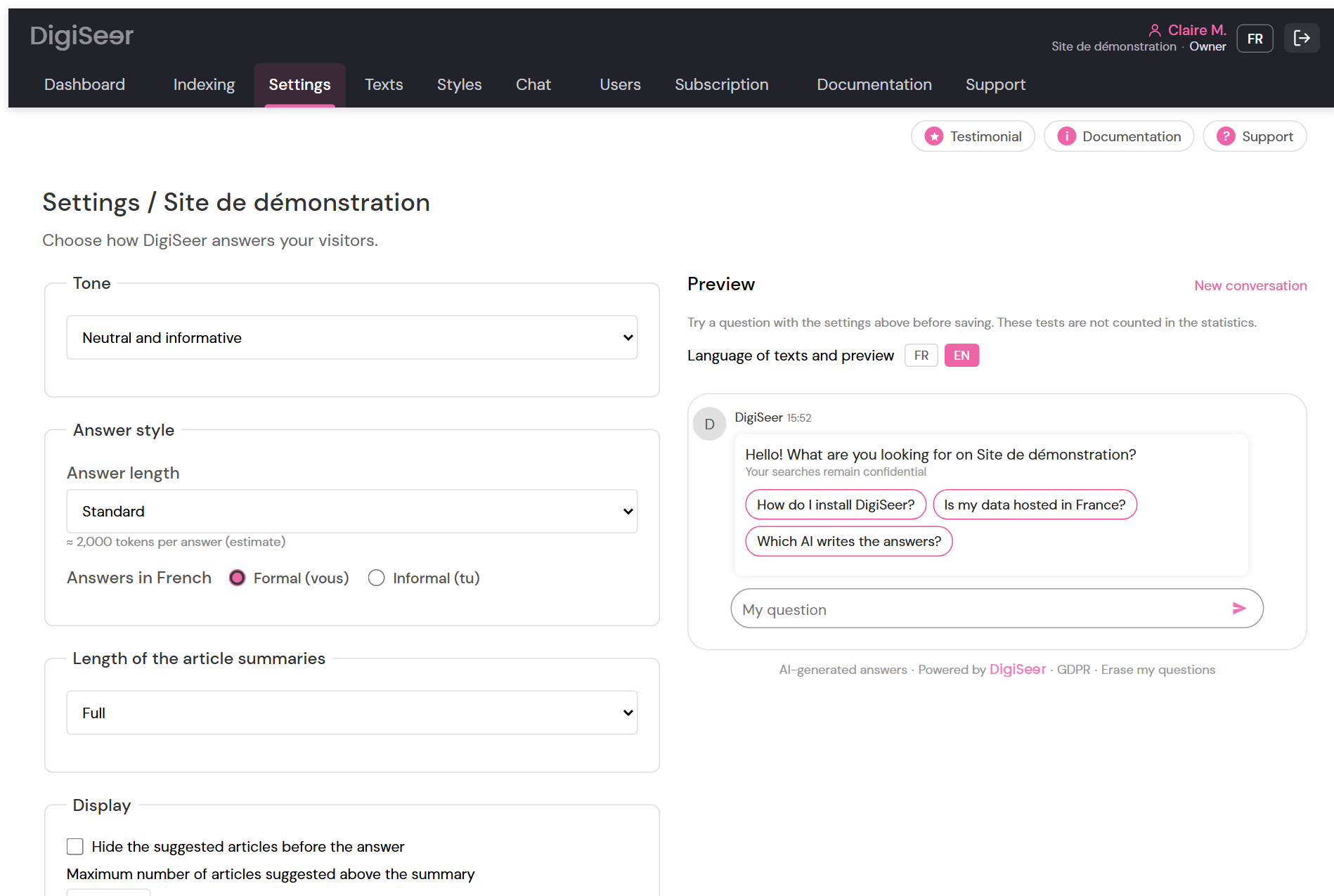
An assistant that speaks like you, set up in a few clicks.
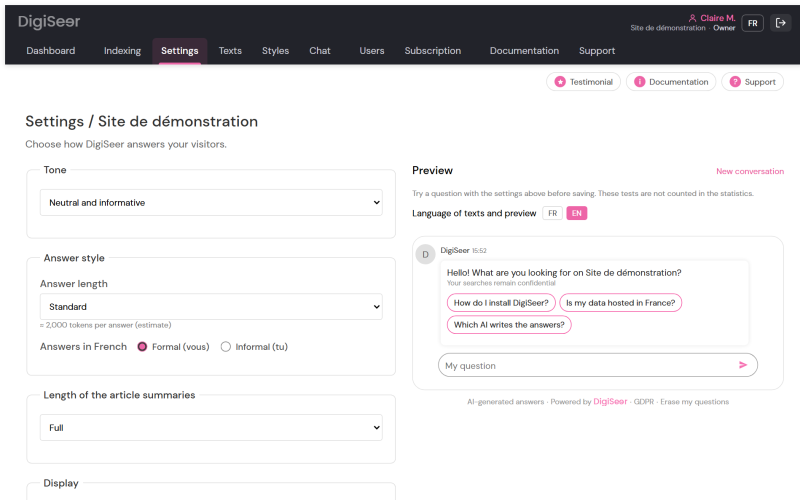
Everything is set with simple choices, and the preview next to the settings is the real chat: you see the effect before saving. Settings apply with a paid plan; on the Free plan, try them in the preview.
- Tone (6 choices), 5 answer lengths, formal or informal address, short, medium or full article summaries.
- Displayed elements: suggested articles, relevance, keywords, links in the answer, feedback.
- Instructions for the AI (checked: no link, no e-mail), and a contact button when there is no answer.
Search page
Your site’s search answers the question directly.
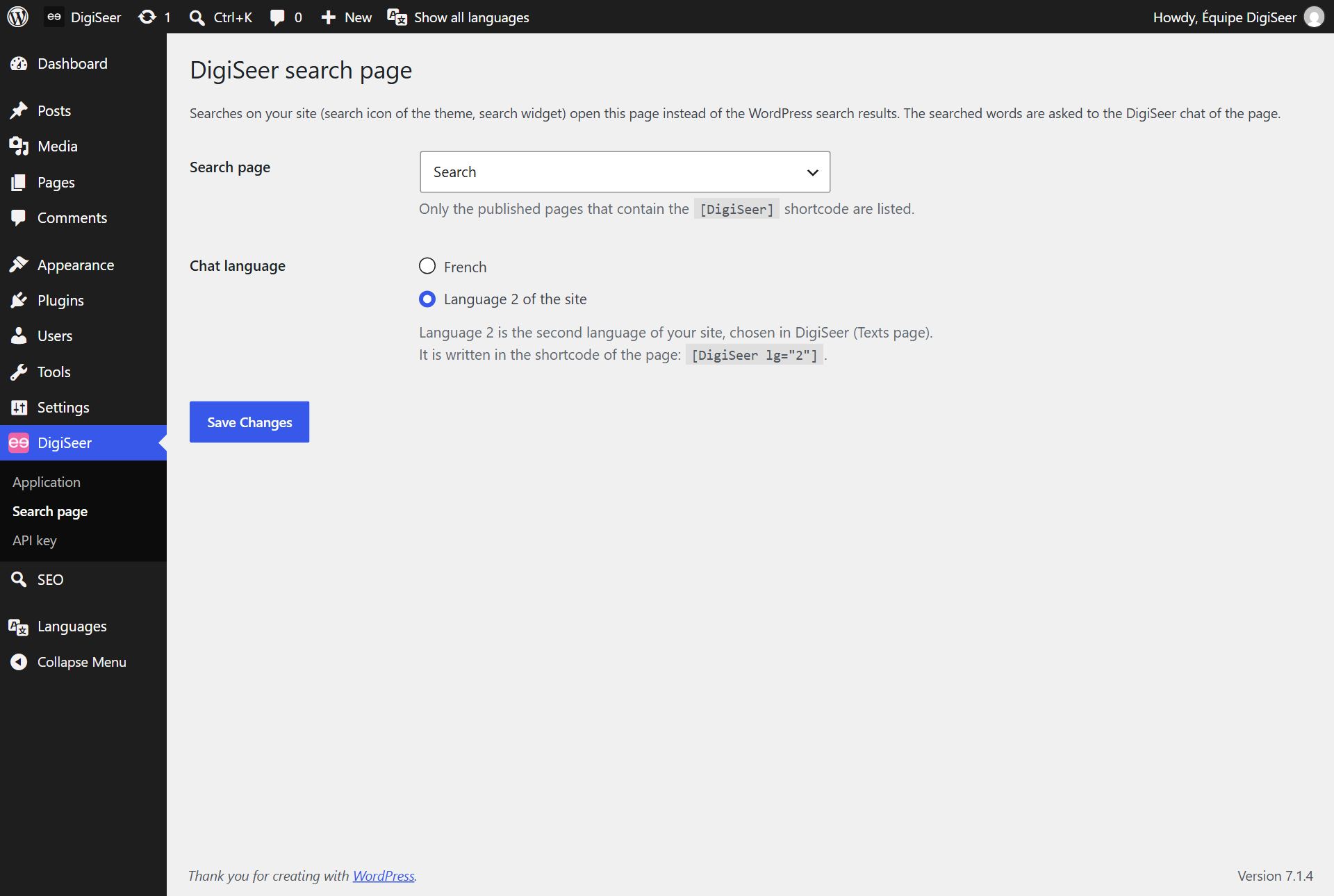
When a visitor uses your site’s search, they land on a page where the chat answers their question, instead of a list of pages to open one by one.
- Page created in one click from the DigiSeer menu in WordPress.
- Full-screen button on the chat, to read long answers.
- Shortcode
[DigiSeer], or[DigiSeer lg="2"]for the second language.
Texts and styles
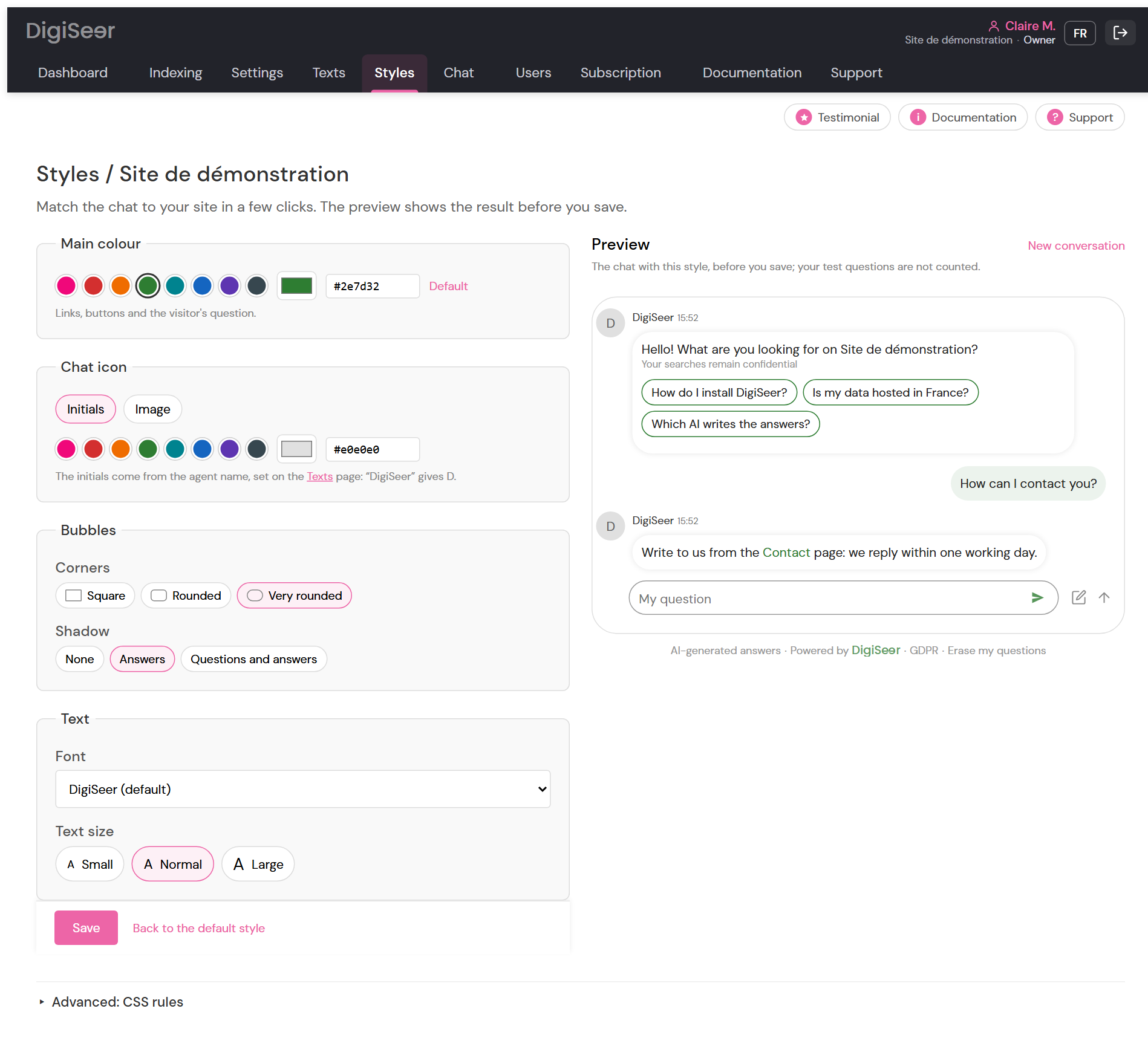
The chat in your colours.
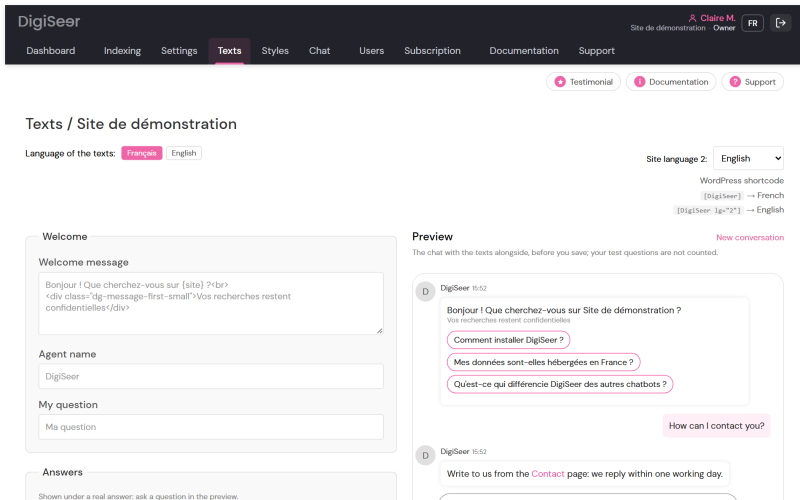
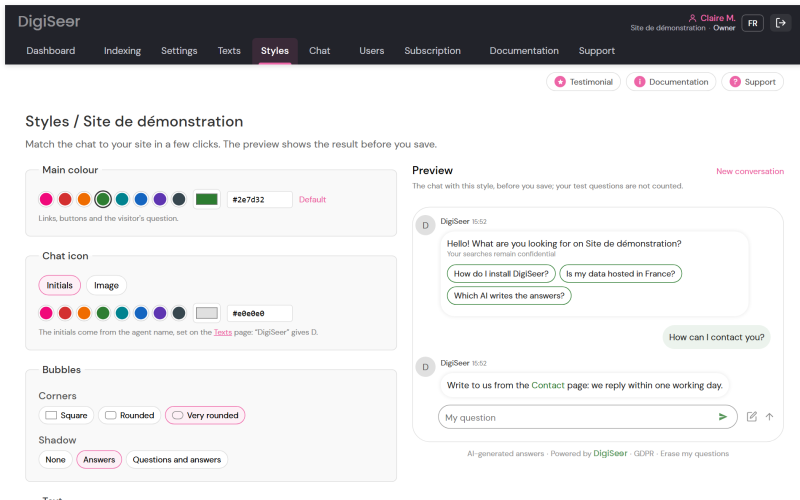
Every text of the chat and its look can be edited with a live preview, without touching code. They apply with a paid plan; on the Free plan, try them in the preview.
- Welcome message, agent name, answer and feedback texts, in the two languages of your site, chosen among 27.
- Main colour, icon (initials or image), bubble roundness and shadow, font.
- Advanced CSS rules to go further.
- “Powered by DigiSeer” removed from the chat (Pro and Business).
For your organisation
All your sites, all your teams, usage under control and protected data.
Agencies and teams
All your sites, everyone in their place.
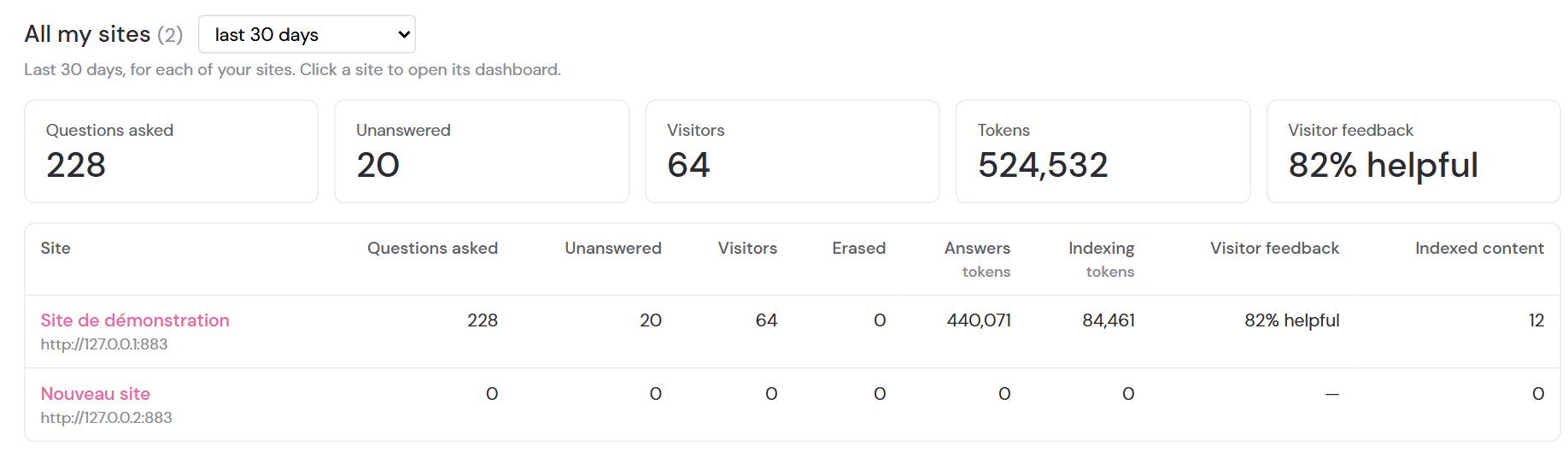
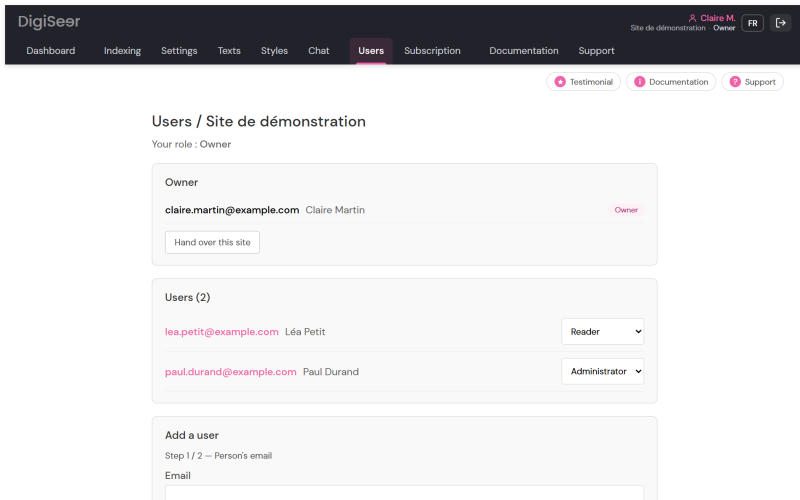
Each site has its own settings, index and statistics. An agency stays in control; its client follows its own site, and that site only.
- All my sites: account totals and one row per site.
- Three roles per site: Owner (the site and its members), Administrator (the assistant and indexing), Reader (the dashboard).
- A chat in each client’s colours; works with WordPress multisite networks.
- Monthly statements per site, in PDF and CSV, with your client’s name.
Subscription and usage
No surprise on the invoice.
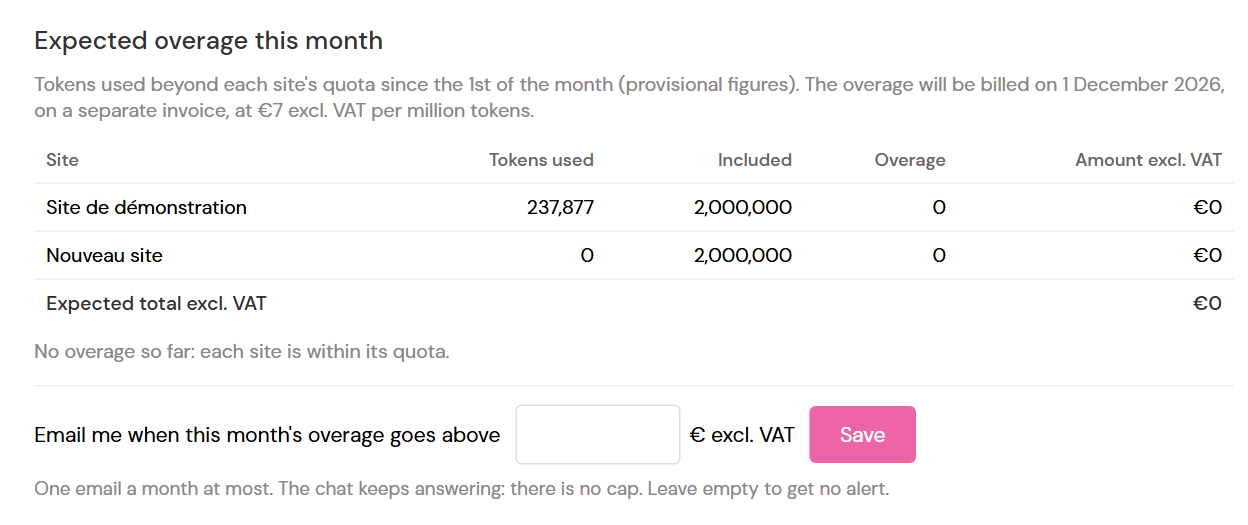
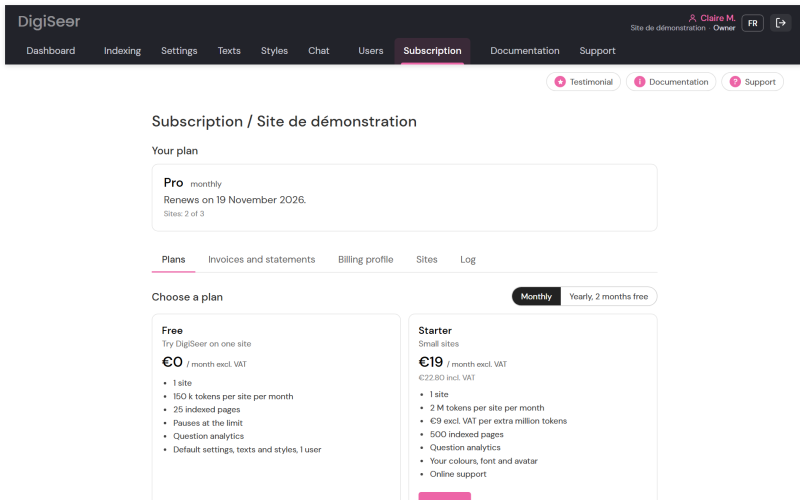
Each site’s usage can be followed day by day, and you are warned before reaching the quota.
- Token quota per site and per month, shown on the dashboard and the Subscription page.
- E-mail alerts at 80% and 100% of the quota, and an overage alert at the amount you choose.
- Estimated cost before any large indexing.
- Invoices and statements to download, accounting export.
Trust and data
Your visitors at ease, you compliant with the GDPR.
DigiSeer answers from your pages only, with a French AI and without profiling your visitors.
- French AI (Mistral AI) and data hosted in France; your content is not used to train any model.
- No cookies for your visitors; IP addresses never stored in clear; e-mails and numbers typed in questions masked.
- “AI-generated answers” notice below the chat (EU AI Act).
- Protection against misuse: trap questions checked before each release.
- Short retention periods: answers erased after 12 months; visitors can also erase their own questions themselves, with one click below the chat.
- Read the privacy policy
Help
Never alone with a setting.
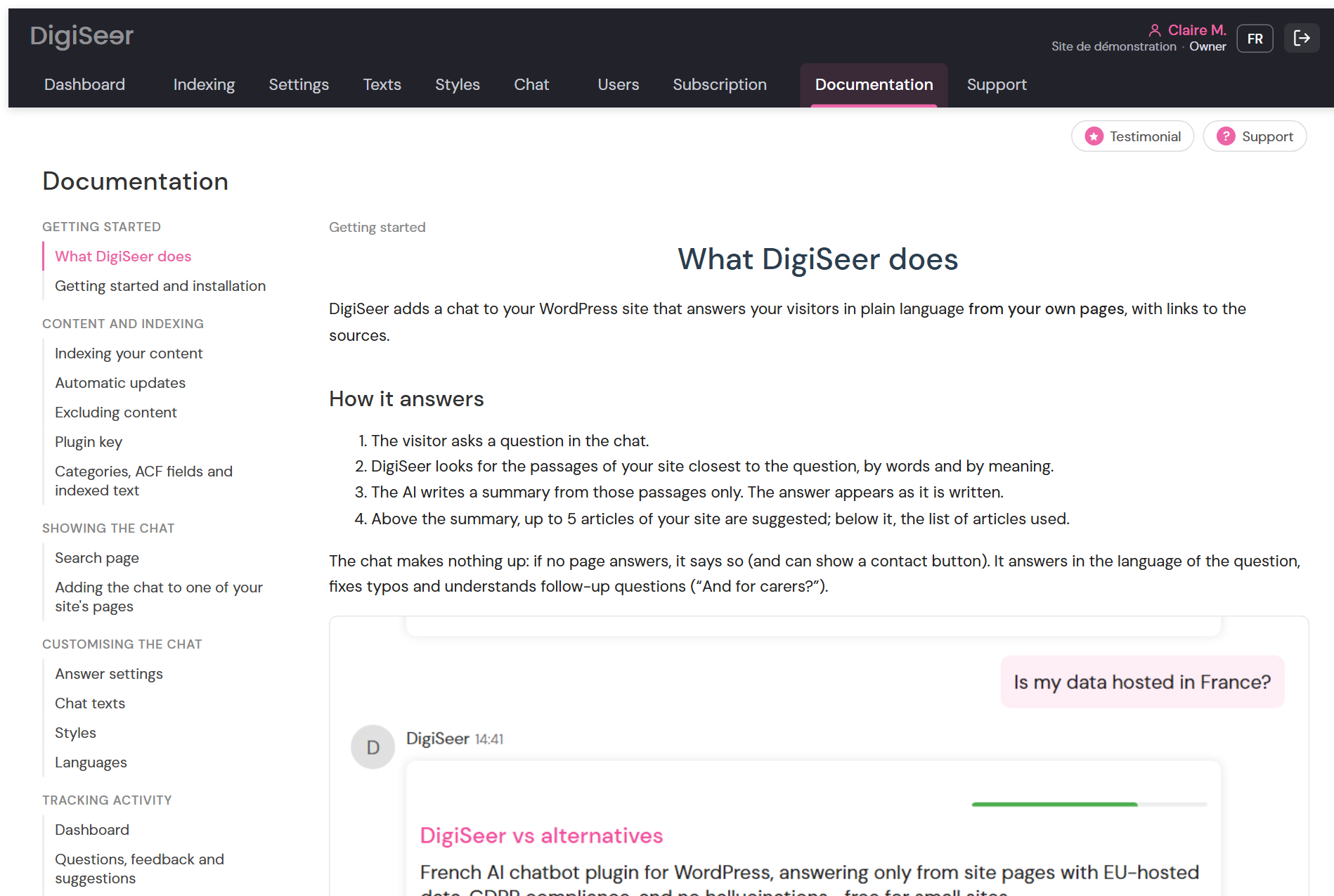
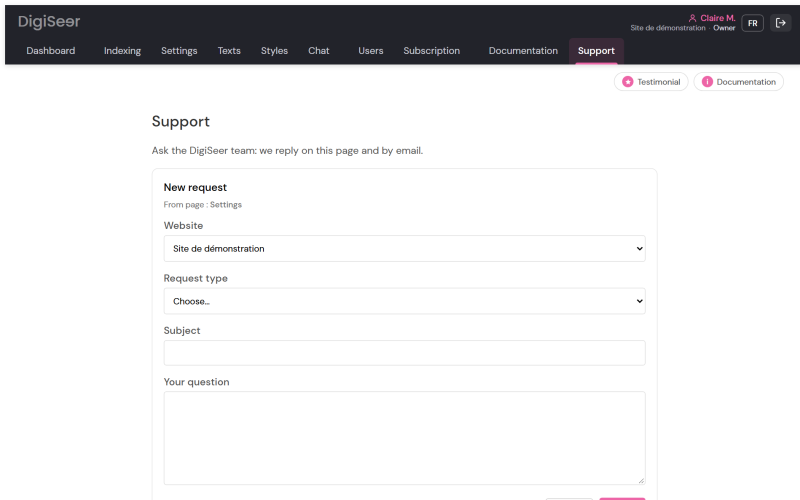
Every page of the app has its Documentation button. With a paid plan, the DigiSeer team also answers you from the Support page.
- Built-in documentation, in French and English, with screenshots of every screen.
- Support: requests followed in the app, with e-mail replies (paid plans).
- Getting started box: the four installation steps, ticked as you go.
- Continuous improvement: your suggestions are reviewed one by one, and every update is announced in What’s new and by the newsletter.
The admin at a glance
Ten screens to set everything up, no developer needed. Click a screenshot to see it in full.
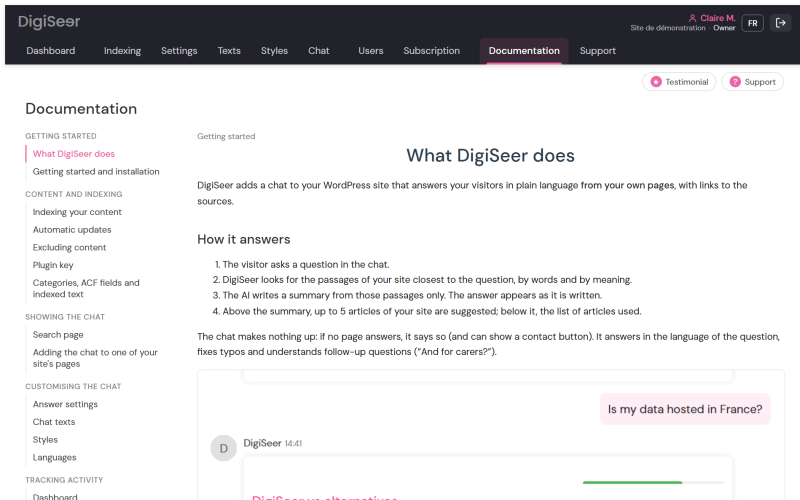
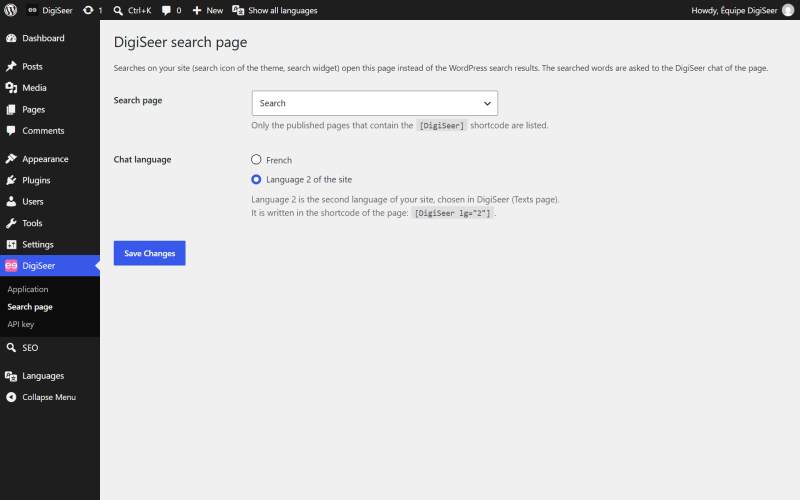
Screenshots taken with the DigiSeer demo site.
Try it on your own site.
Free plan, with no credit card and no API key. Your data is hosted in France: see security and privacy.